
Scan
Point PictureEcho at Pictures, a camera card, or Lightroom. Pick Similar for bursts and exports, or Exact for straight copies. Tighten or loosen the Similarity Threshold if you need fewer — or more — groups.
Products / PictureEcho
 PictureEcho
Keep the photo. Recycle the extras.
A duplicate photo finder for Windows, Mac, and Android — built for lookalikes, not just identical files.
Bursts, WhatsApp saves, and editor exports pile up with new names. PictureEcho groups them so you can preview the set, keep the good shot, and send the rest to the Recycle Bin.
Windows 11 will not hunt this mess for you. File Explorer sorts by name. Photos is a viewer. PictureEcho compares how pictures look, then shows a group you can preview.
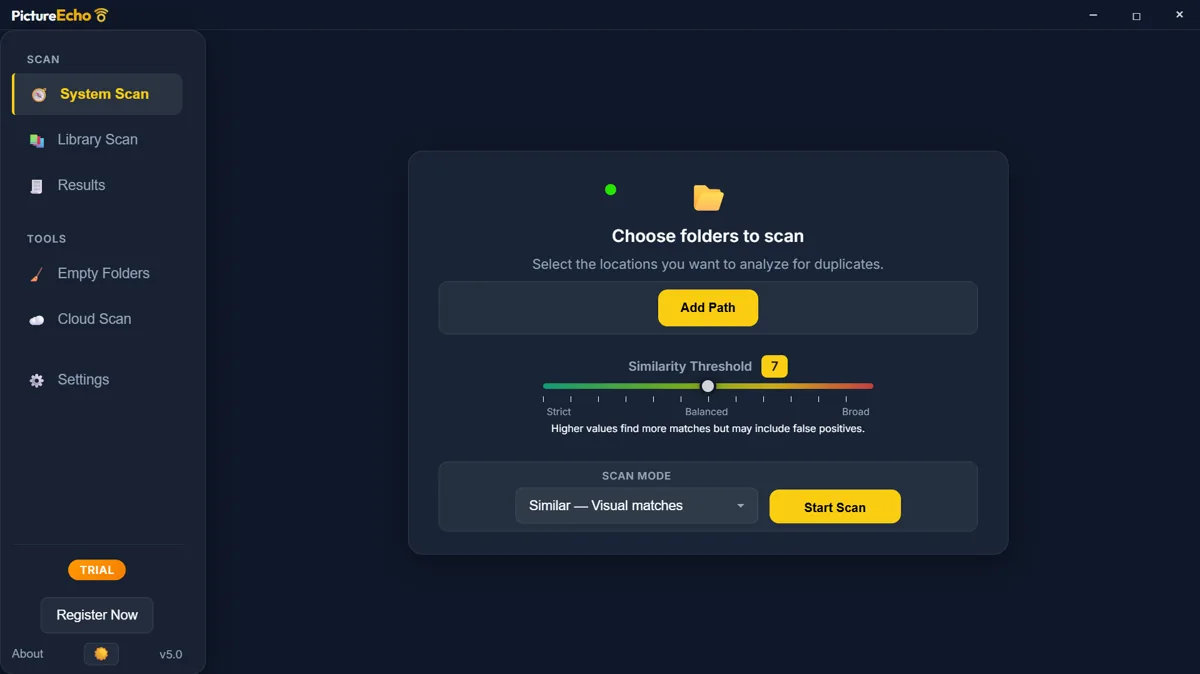
Point PictureEcho at Pictures, a camera card, or Lightroom. Pick Similar for bursts and exports, or Exact for straight copies. Tighten or loosen the Similarity Threshold if you need fewer — or more — groups.
Each group is one moment, many files. Keep the original with a rule (oldest, newest, largest, highest resolution, or smallest) or pick by hand. Nothing is removed until you say so.
Send extras to the Recycle Bin or Trash so you can restore a keeper if you change your mind. Move them aside instead, or delete from disk when you are sure. The free desktop trial cleans 10 groups.
Want Explorer and Photos first? How to find and delete duplicate photos on Windows.
Similar mode groups bursts, crops, filters, and smaller shares. Raise the threshold if the first pass is too thin; lower it if the groups feel noisy.
Exact mode is for the same picture saved twice. Use it when you want obvious duplicates, not every sunset that shares a sky.
Rules can leave the oldest, newest, largest, highest-resolution, or lowest-resolution photo unselected in every group.
Windows Recycle Bin and Mac Trash are the safe default. Permanent delete is there when you want it — with a confirm dialog either way.
Library Scan can pick up Adobe Lightroom Classic, Lightroom CC, Windows Photos, and Mac Photos. If Windows Photos only lives in OneDrive, add the folder that actually has the files.
Everyday photo types plus common RAW on the desktop app. The Android app follows the formats on Google Play — not desktop RAW.
PictureEcho on Windows and Mac reads files that are on the disk. Online-only OneDrive or iCloud placeholders are skipped until you download them. It does not open Google Photos in a browser.
PictureEcho Pro includes Cloud Duplicate Finder in the browser — exact files in Drive, OneDrive, Dropbox, and S3, and similar photos on Google Drive and OneDrive.
Screenshots, chat saves, and burst shots eat phone storage the same way. PictureEcho for Android finds exact and similar photos in your gallery, lets you preview the group, and deletes through Android’s confirmation. Nothing is uploaded for the scan.
PDFs, videos, and mixed Downloads are a different product: Clone Files Checker.
Try PictureEcho on Windows or Mac, or get the Android app on Google Play.